 Fuck You Flow
Home / Guides / Fix Slow Offline Dictation: Whisper GPU Memory
Fix Slow Offline Dictation: Whisper GPU Memory
Dictation on Fuck You Flow went from about one second to over thirty on the afternoon of 7 September 2026, on a machine where nothing about the app had changed. The graphics card had filled up with other programs, and Windows had moved most of the speech model off it. This page explains how to see that coming and what to do about it.
What happens
The speech model sits on the graphics card while the app runs. On the machine measured here it holds 1960 MB there. The card has 8017 MB of usable memory, so at eight in the morning, with little else open, it had room to spare.
Through the day other programs took that memory: a pixel art editor holding 4025 MB, an Android emulator holding 1419 MB, a game engine and browsers holding a few hundred more. By the afternoon 6160 MB of the card was taken.
Windows does not refuse a program that no longer fits. It accepts it and moves most of its memory out to ordinary system RAM. Reading the card at 16:51 that day showed 133 MB of the model still on it and 1825 MB sitting in system RAM.
The project observed waits rising from about 1 second to 20 to 37 seconds while most of the model was outside GPU memory. Other hardware can behave differently. Memory bandwidth alone does not predict end-to-end recognition time.
How to see it
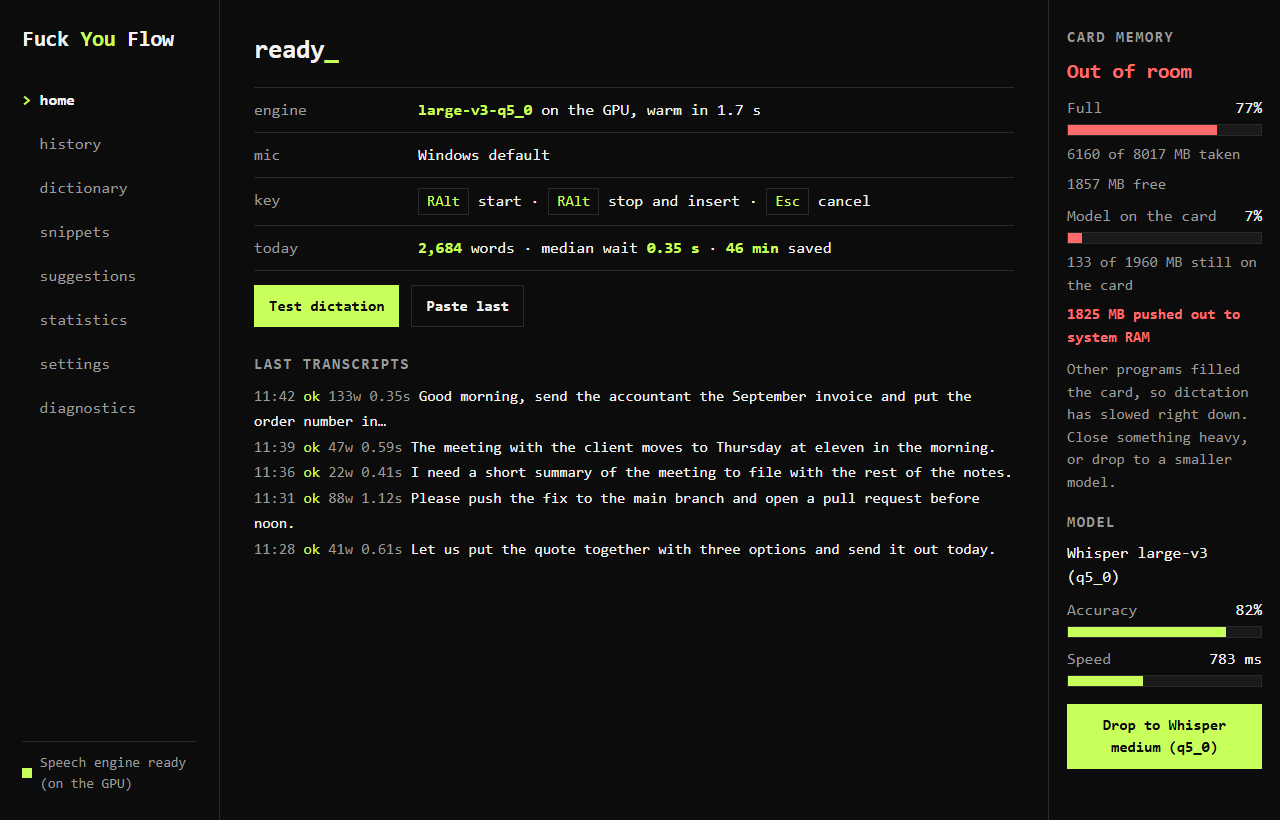
The rail down the right hand side of the app answers the question directly. It reads the card every three seconds, and again after every dictation.
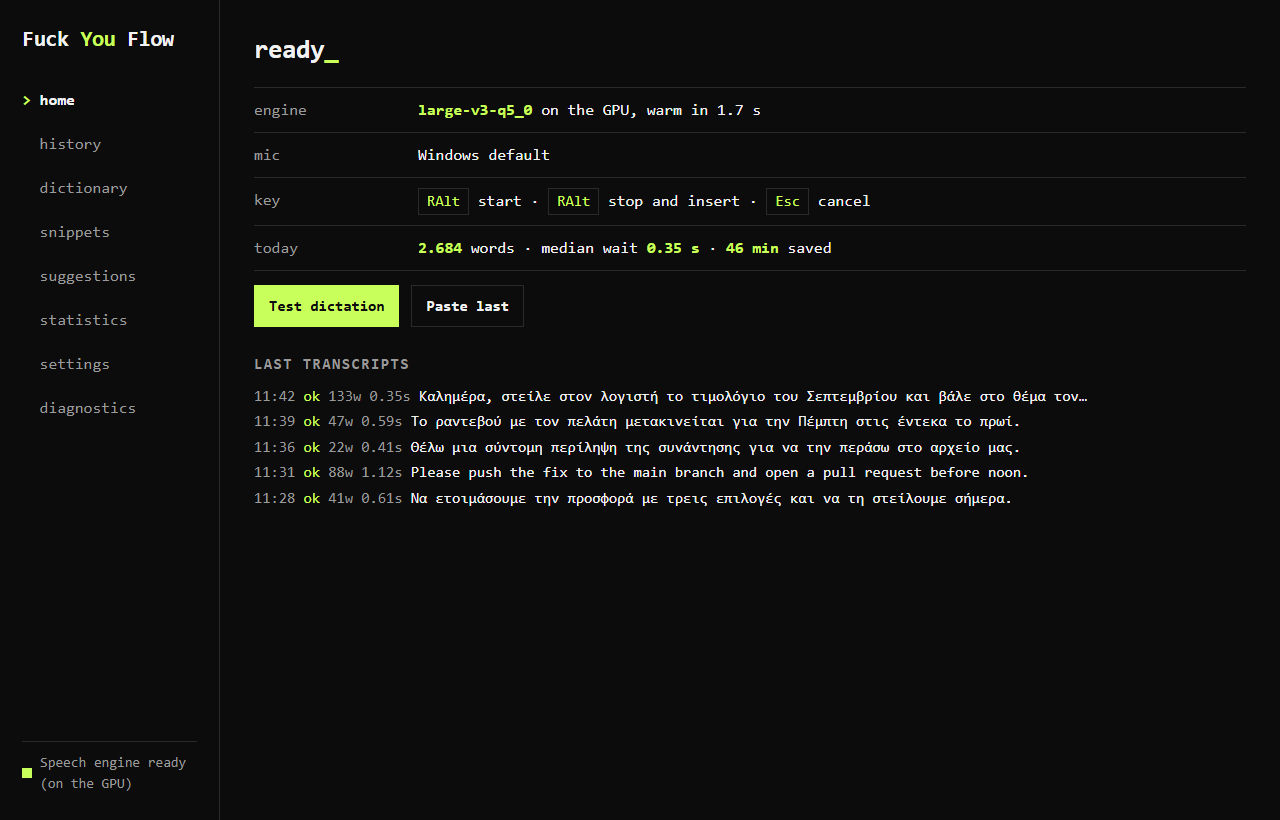
Four bars, each one read live from the card:
- Full is how much of the card every program together is holding.
- Model on the card is how much of the speech model is still there. At 100 per cent, the model fits in GPU memory. That avoids this memory spillover problem, but does not guarantee a particular processing speed.
- Accuracy and Speed describe the model in use, from the project's own measurements.
When the second bar falls, the word at the top turns red and the rail says how many MB were pushed out.
What to do about it
There are two ways back, and the first one is free.
1. Give the card its memory back
Close whatever is holding the most. Image editors, game engines, phone emulators and 3D tools hold gigabytes. Browsers hold a few hundred MB each and can also contribute. In this case, Windows moved the speech model back onto the card once there was room, without restarting. Check the model bar and time another dictation to confirm the result on your machine.
2. Use a model that fits in what is left
When the card has to stay busy, a smaller model on the card beats a large one in system RAM by a wide margin. The button under the rail switches to the most accurate model already installed that fits.
| Model | Wants on the card | Words wrong out of 100 | Median time |
|---|---|---|---|
| Whisper large-v3 (q5_0) | 1960 MB | 18 | 783 ms |
| Whisper medium (q5_0) | 927 MB | 22 | 560 ms |
| Whisper large-v3-turbo (q5_0) | 860 MB | 25 | 304 ms |
In the project's Greek test clips, medium used less memory than large-v3 with a higher word error rate. Turbo had the lowest median processing time and highest error rate of these three models on that corpus. These rounded results do not predict accuracy for every speaker or document.
Running on the processor instead is slower than either. The same clip that takes 783 ms on the card took 14.5 seconds on a sixteen thread processor in this project's own benchmark on 6 September 2026.
Two things that do not help
Asking Windows to give this program priority does not work. The speech engine can be built to ask for the highest memory priority the graphics driver offers, and it was tested that way on 7 September 2026: with the priority on, the model still ended up with 50 MB on the card and 1582 MB outside it, and the timings were unchanged. That setting orders one program's own allocations. It takes nothing back from other programs.
Adding system RAM does not increase dedicated GPU memory. In this observed case, freeing GPU memory or selecting a smaller model addressed the issue. Other causes of slow dictation need separate diagnosis.
More dictation guides
- Free Voice to Text on PC: Talk and It Types
- Which Whisper Model Should I Use? A Plain Guide
- Windows Dictation Hotkey: Start, Stop and Cancel
- Fix Dictation Spelling with a Custom Dictionary
- Dictation Text Not Appearing? Fix Windows Paste
- Greek and English Dictation: Language Settings
- Free Greek and English Dictation in Word on Windows
- Voice Typing for ChatGPT and Claude on Windows
FU Flow 0.9.15 beta · 1.7 GB · Windows 10 / 11 · MIT