 Fuck You Flow
Your voice. Your computer. No subscription.
Free voice to text for Windows.
Speak, and it types. FU Flow turns your speech into text in any Windows app with local Whisper: English, Greek and 97 more languages, auto-detected. No subscription, no weekly word cap and no account for local dictation. Built by Luram AI Agency in Thessaloniki.
NewNow on Ubuntu Linux: 22.04 or newer, as a .deb or an AppImage.
Windows 10 and 11. Version 0.9.15 beta. 1.7 GB with the speech models included. Local dictation works offline after setup. MIT license. The SHA256 checksum is on the release page. What changed in each version is on the changelog.
Speed depends on your graphics card: the more modern the card, the faster FU Flow runs. On older cards and on computers without one, it runs on the processor, more slowly.
Why this is free
The speech model was already open.
OpenAI published Whisper on 21 September 2022. Its own repository says it in one line: Whisper's code and model weights are released under the MIT License.
Public weights, public code, local speech recognition on hardware you already own.
We use Whisper through whisper.cpp to offer local voice typing without a recurring fee. FU Flow is an independent app, built from scratch. We do not claim the two products use the same recognition system or offer identical features.
We built the hotkey, the local workflow and the Greek text handling around that open engine. Luram funds the project and releases the code under MIT. Local processing uses hardware you already own.
Take it. Read the code. Fork it. The MIT licence even lets you sell it.
What is inside
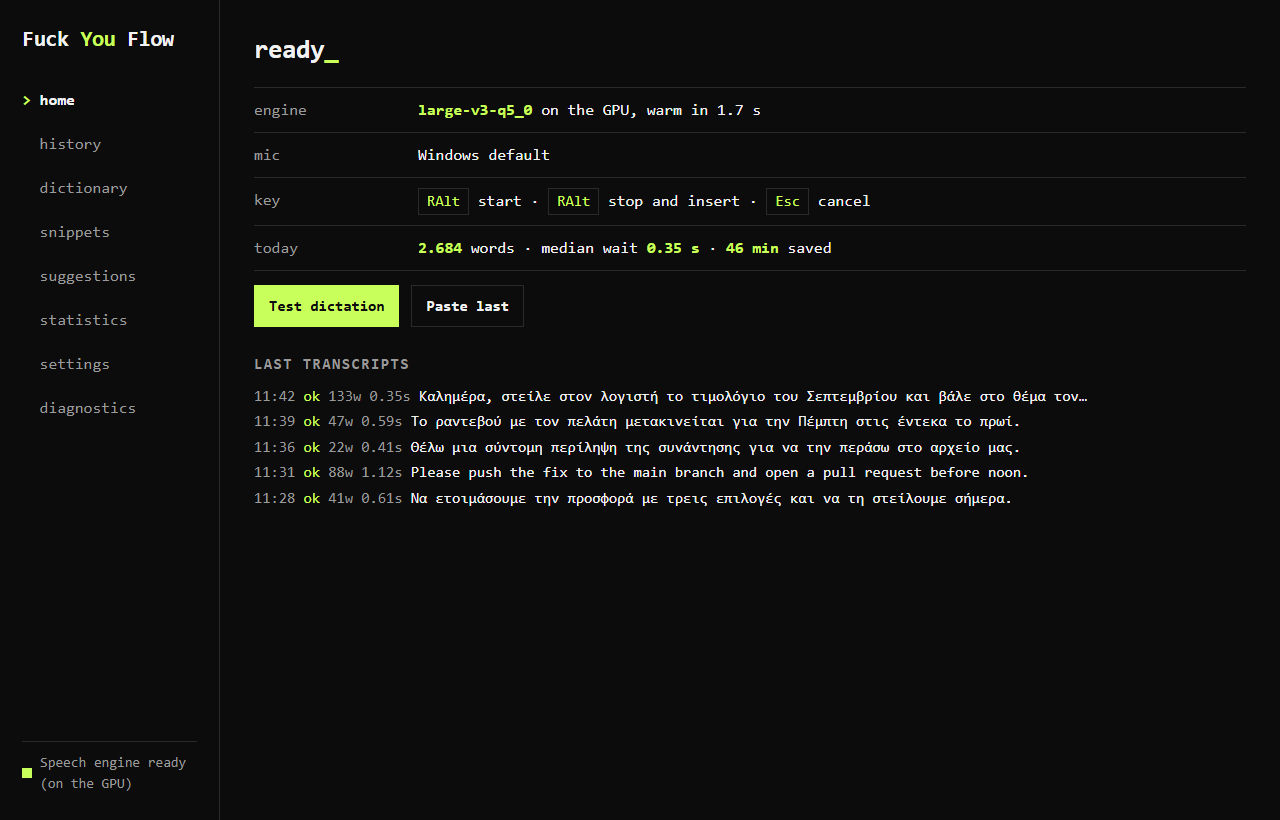
Six things the app does on its own, on your machine, without asking anyone.
Clean text, Greek included
Hesitation sounds such as “um” and “uh” come out, and spoken self-corrections are applied before the text lands. Question marks come from grammar rules or from the rise of your voice.
Snippets
Say a phrase, get a whole block of text. Signatures, addresses, the replies you send every day.
Local by default
The default local engine keeps speech on your PC. Update checks use the internet. Choosing a remote speech provider sends audio to that provider.
Correct it once. It learns.
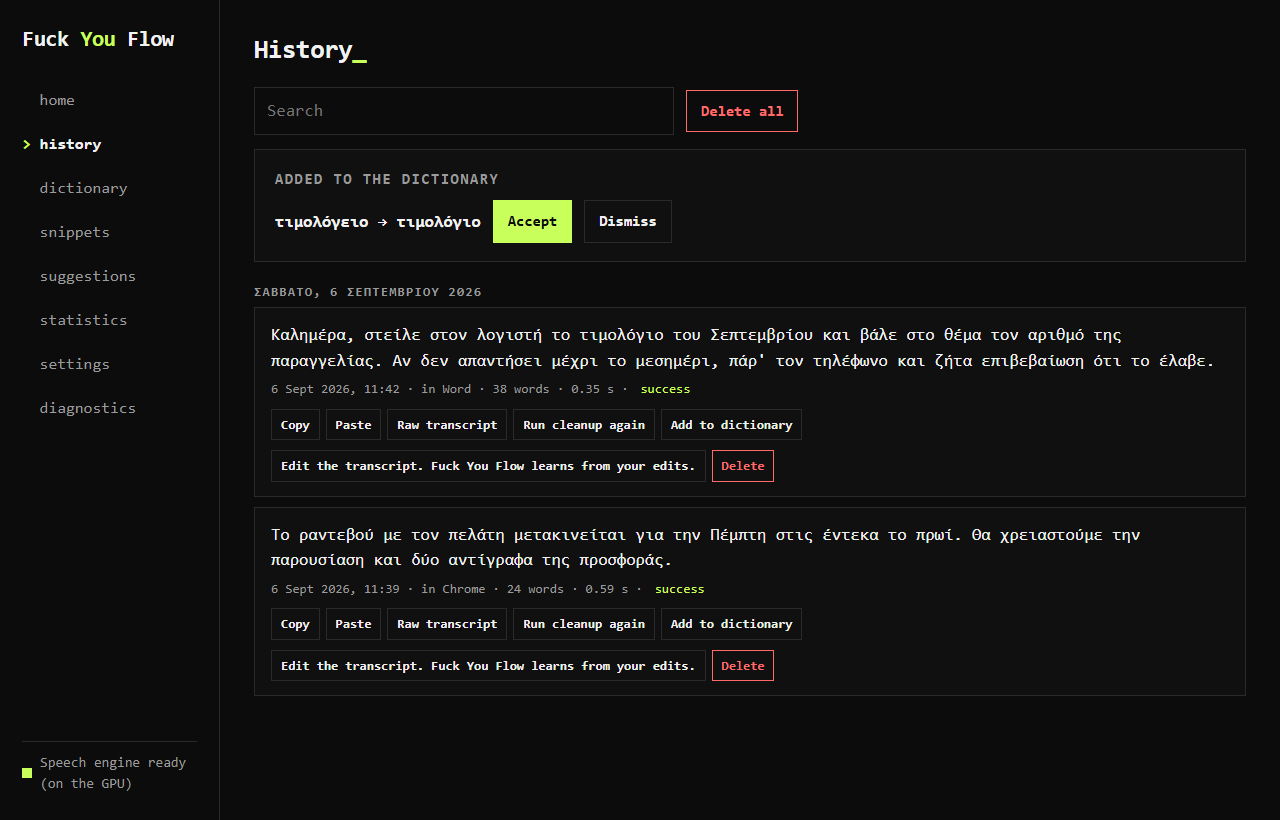
Every dictation is kept in History, one file on your disk. Fix a word there and the fix becomes a dictionary rule. The next time you say it, it lands the way you wrote it.
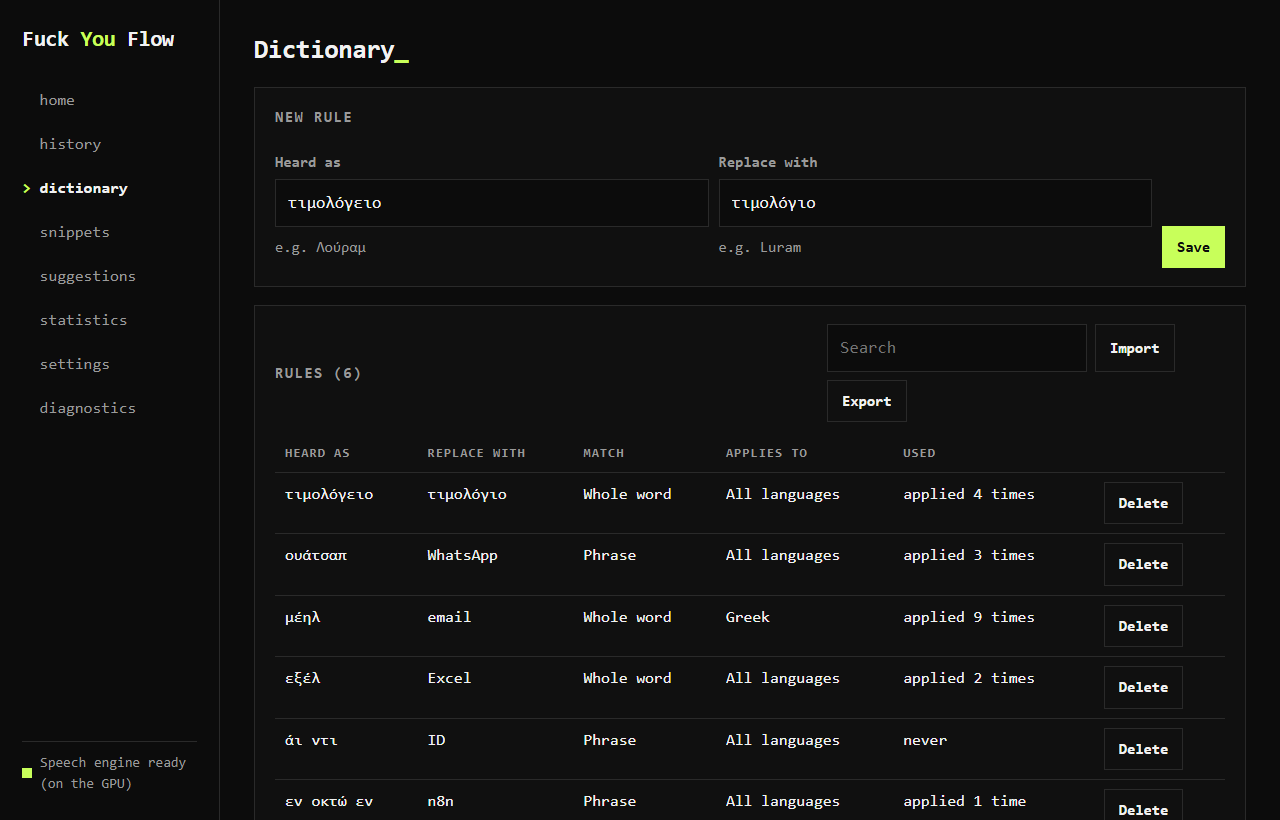
Your words, your rules.
Names, brands, the terms of your trade. Add them to the dictionary and the engine spells them your way, every time. Rules made in History show up here too, ready to edit.
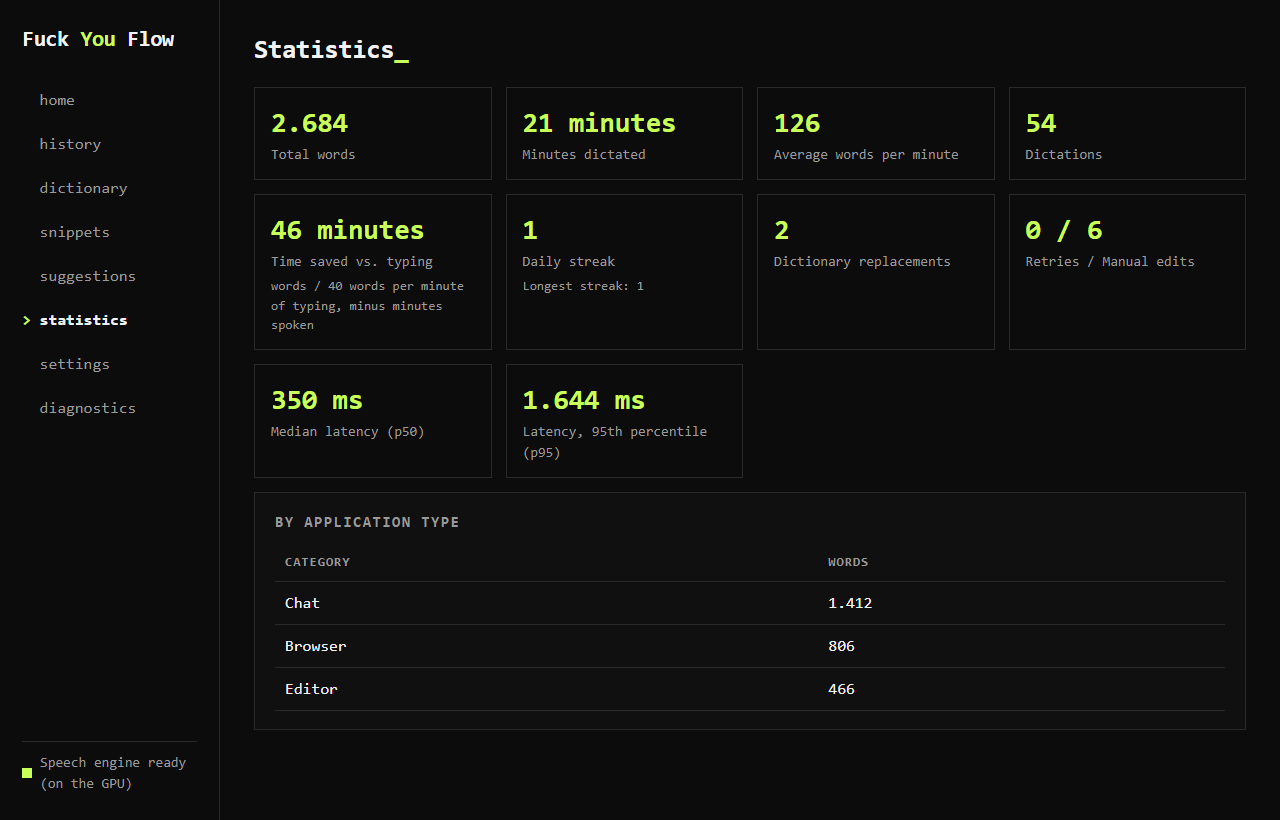
How much you said, how much you saved.
Words per day, median wait, minutes saved against typing. What you said yesterday is one click away. All of it stays in one file on your disk and goes nowhere else.
GPU acceleration, with a CPU fallback.
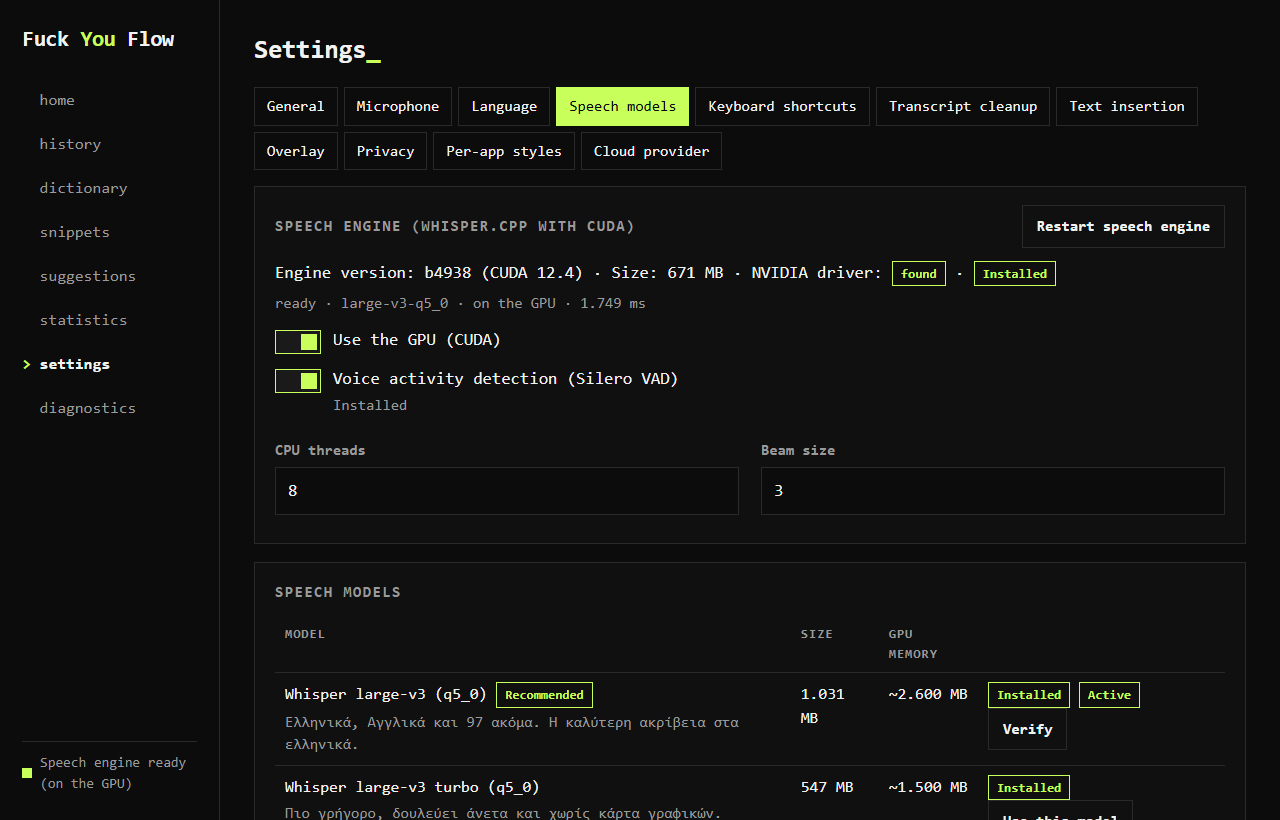
NVIDIA, AMD and Intel all run through Vulkan. The first start reads your machine and picks the model that fits it. Change the key, the microphone or the model here whenever you like.

One key.
Press right Alt.
A small window with a waveform appears. It listens.
Speak.
Greek, English or both. Each finished phrase is transcribed while you keep talking.
Press right Alt again.
The text lands where your cursor was. With periods, commas and question marks.
Dictate into compatible text fields in Word, Chrome, Slack, Outlook and other Windows apps. If automatic paste fails, copy the text from History.
Speed
Four real dictations on an RTX 3070 with the large model. The coral bar is how long the person talked. The green bar is how long they then waited for the text. Both bars are drawn on the same scale.
Finished phrases are transcribed while you speak, reducing the work left at the end. These four observations are from our own RTX 3070. Any comparison with Wispr Flow falls outside them. Results vary with the model, recording length, drivers and free GPU memory. AMD, Intel and CPU performance can differ.

The bill
Desktop dictation pricing checked on 8 September 2026. Wispr Flow has a free desktop plan with 2,000 words per week. Pro is US$15 monthly or US$12 per month billed annually. Plans and regional prices can change.
| Feature | Wispr FlowPro: 12 to 15 dollars a month | Fuck You FlowFree local dictation |
|---|---|---|
| Price | Free desktop plan; paid Pro for unlimited dictation | Current local app: free under MIT |
| Words per week | 2,000 on the free desktop plan | As many as you can say |
| Where your voice goes | Their servers | On your PC with the local engine |
| Account | Required | None |
| Internet | Always | Downloads and updates; local dictation works offline |
| Greek | One of 100+ languages | First language, mixed with English in the same sentence |
| Source code | Proprietary | Open, MIT, on GitHub |
The whole comparison, row by row, with the sources: the free Wispr Flow alternative for Windows.
Also compare: Voice to text on PC · OpenWhispr alternative · Free offline dictation alternatives.
Open speech models. Greek and English behind one key. We built a Windows app around them and released it under MIT.

Illustrative receipt: 180 US dollars is twelve monthly Wispr Pro payments of 15 dollars. Annual billing costs less, and a free desktop plan exists. FU Flow's current local app is free under MIT; the products have different features.
Make voice typing part of your work
Practical guides for writing, prompting and fixing dictation problems.
Write documents by voice
Set up Greek and English dictation in Word, then check names and punctuation before sharing.
Dictation in WordSpeak your AI prompts
Dictate a brief into ChatGPT or Claude, review the text, then send it yourself.
Voice typing for AI promptsKeep dictation local
Understand speech processing, saved history and update checks.
Privacy and offline operationQuestions
Is there free voice to text for Windows?
Yes. FU Flow is free voice to text for Windows 10 and 11: press a key, talk, and your words are typed into any app. The speech models run on your PC, so it works offline after setup, with no subscription or word limit.
How do I talk to text on a PC?
Install FU Flow, click into any text box, press right Alt and speak, then press right Alt again. The text appears at the cursor in Word, Gmail, Slack, a browser or an AI chat.
How is this different from Windows voice typing (Win+H)?
Microsoft says Windows voice typing uses online speech recognition and needs an internet connection, and its Windows 11 language list does not include Greek. FU Flow runs speech to text on your PC by default and dictates Greek and English.
Which languages can I dictate in?
Pick your own language from thirty-three in Settings. The default mode accepts English words inside your sentences, and Greek and English are the most tested.
Is it a free alternative to Wispr Flow?
Yes, for local dictation on Windows 10 and 11. FU Flow is free under MIT, with no subscription, account or weekly word cap for the local engine. It is a beta and does not offer every Wispr Flow feature.
Where does my voice go?
The default Whisper engine processes speech on your PC and works offline after setup. The app checks online for updates. If you choose an OpenAI-compatible remote speech provider in Settings, audio goes to that provider and its fees and privacy terms apply.
Does it need an NVIDIA card?
No. Supported NVIDIA, AMD and Intel cards can use Vulkan. The CPU fallback also works. Speed depends on the model, hardware, drivers and available memory.
Why does Windows show a warning during install?
The beta installer has no purchased code-signing certificate. Download only from the linked project release and compare the published SHA256 checksum. Source code is available for inspection.
What does beta mean?
Some applications may refuse automatic paste and some graphics cards remain untested. Check your first dictation in a plain text editor. You can copy transcripts from History if insertion fails.
Why the name FU Flow?
The name expresses our preference for free local dictation without a recurring software subscription. FU Flow is the short name used on social media. The project is independent of Wispr Flow.
Tell us
Three doors. Whatever broke, whatever you want, whoever you are.
Something broke
Tell us the program, the graphics card and what you saw. The Diagnostics tab has Recent problems ready to copy.
Report a bug on GitHubSomething you want
A feature, a language quirk, a program it should paste into. Say how you would use it and we read it.
Open an idea on GitHubHonourable mentions
People who put their own machine and their own hours into this, for nothing.
- AMD graphics cards Tasos Minas Ran the app on AMD hardware and reported back what happened, which is how the Vulkan path stopped being a guess.